
Projects
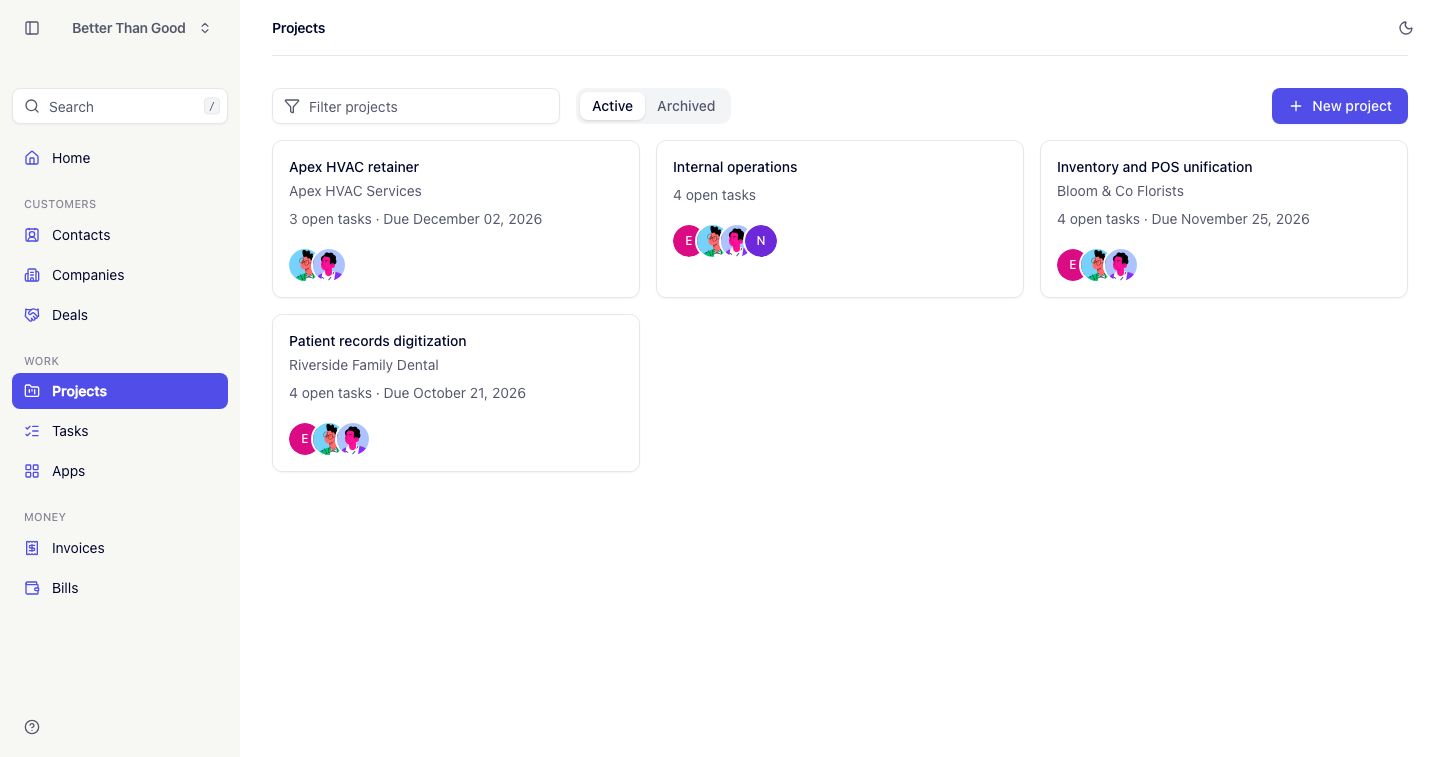
A project holds tasks.
Creating a project
Two routes:
- From a won deal: the Create project button on a deal in the Won stage. The project takes the deal’s name and client and stays linked to the deal (see Deals).
- From the Projects screen: New project.
| Field | Notes |
|---|---|
| Name | Required |
| Client | A company. Optional |
| Description | |
| Due date |
The form has no status field. A project is active until archived.
The projects list
Tabs separate Active from Archived. Active is the default.
- The filter matches project name and client name.
- Sort by name, client, due date or open tasks (the count of incomplete tasks).
The project page
Three tabs:
Overview
The description, team members, and a feed of the last 25 events: the project being created and tasks created, completed or reopened.
A Money card appears when invoices or bills are attached to the project. It shows Invoiced (what the client was billed), Bills (what vendors charged for the work) and Margin (the difference). Money is visible only to roles with access to the money area (see Team & invitations).
Tasks
The project’s task list, split into Open and Completed (see Tasks).
Configure
Edit the project’s details and archive or restore it.
Archiving
An archived project is hidden from the Active tab and excluded from the Open projects count on Home. Its tasks and history are kept.
An archived project shows a banner with a button to Configure, where Restore returns it to active.
Deleting a project removes it and its tasks permanently.