
WORK documentation
WORK is an agent-friendly business suite for teams that are tired of running on scattered apps and tribal knowledge.
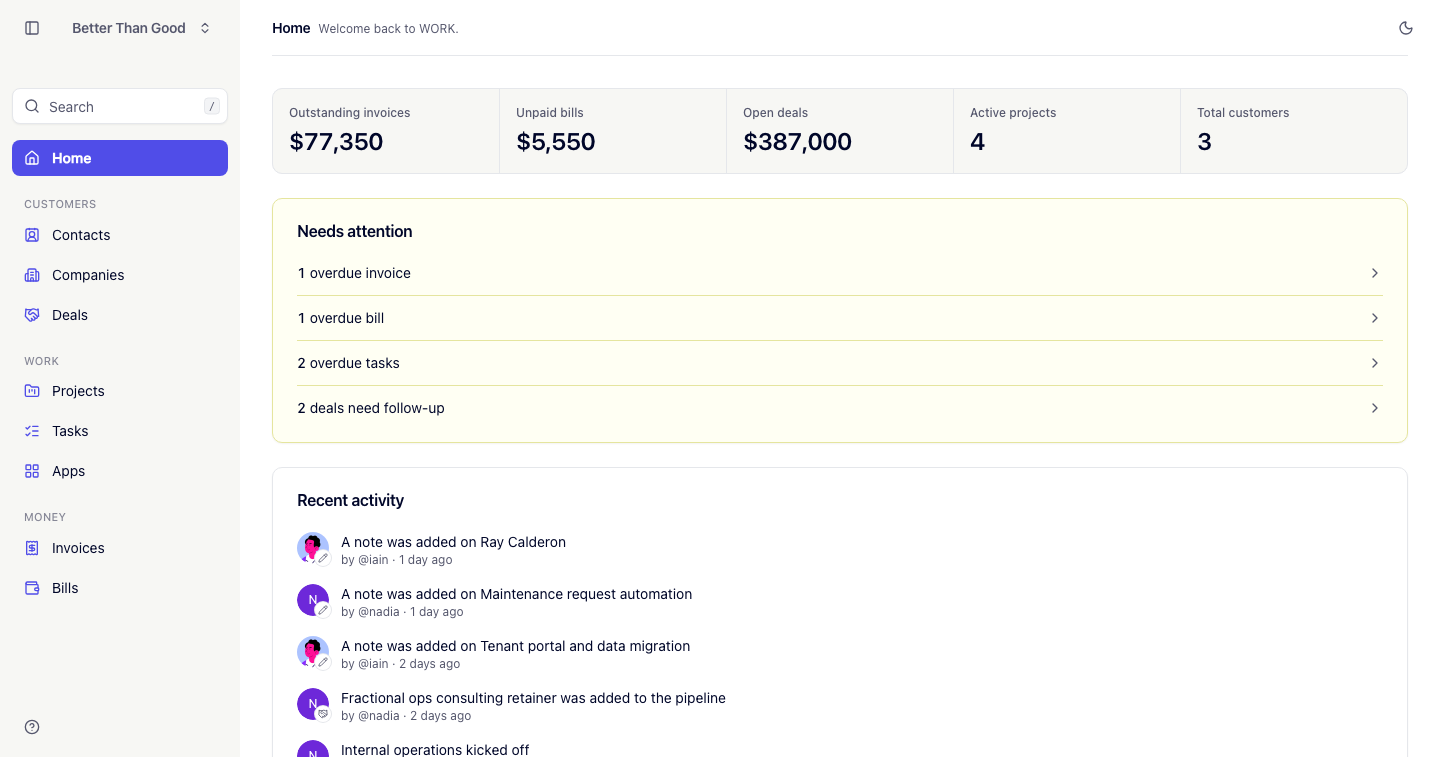
- Contacts and Companies are the people and organizations you work with.
- Deals are opportunities, moved across a pipeline.
- Projects and Tasks are the delivery work after a deal is won.
- Apps are links to the outside tools your team works in.
- Invoices are imported records of what you billed clients.
- Bills are money you owe out, entered and paid in WORK.
Start here
| If you want to | Read |
|---|---|
| Set up your account and invite your team | Getting started |
| Understand the Home screen | Home |
| Manage people and organizations | Contacts · Companies |
| Run your sales pipeline | Deals |
| Deliver the work | Projects · Tasks |
| Reach your other tools | Apps |
| Track what you’ve billed | Invoices |
| Track what you owe | Bills |
| Move data in or out | Importing data · Exporting data |
| Use scripts or agents | API · CLI |
Conventions across the app
- Creating or editing a record opens a slide-over panel over the current page.
- Lists update in place. Filtered and sorted lists are bookmarkable URLs, and the Back button returns to the previous state.
- Press ? for the keyboard shortcuts (see Search & shortcuts).