
Bills
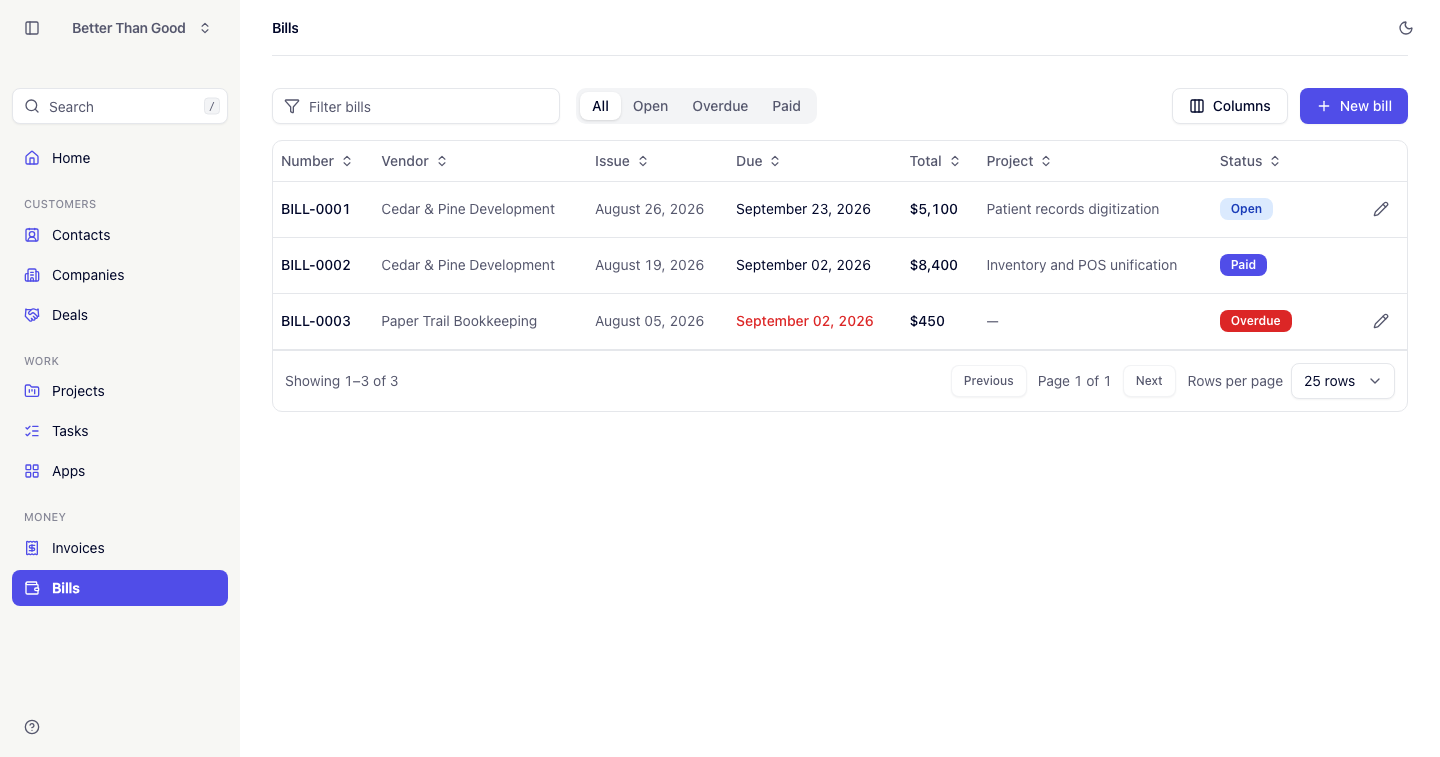
A bill is money you owe out — a contractor’s invoice to you. Unlike invoices, which are imported read-only records, bills are entered, edited and paid in WORK.
Creating a bill
Press New bill. The form opens in a slide-over.
| Field | Notes |
|---|---|
| Vendor | A company in this account. Required |
| Contact | A contact at the vendor. Optional |
| Issue date | Defaults to today |
| Due date | Defaults to 30 days out |
| Reference | The vendor’s own invoice number |
| Subject | What the bill is for |
| Notes | Payment terms, PO number, etc. |
Press Create bill. The bill opens on its own page.
Line items
Lines are added on the bill’s own page through an inline form. Each line is one thing the vendor is billing for.
| Field | Notes |
|---|---|
| Description | Required |
| Quantity | Defaults to 1 |
| Unit price | In the account currency |
| Discount % | Reduces the line total |
| Tax % | Applied per line |
Edit a line in a slide-over. Delete with the trash icon. The totals recompute on every change.
Totals
Each line is calculated separately: quantity multiplied by unit price, less the line’s discount. Tax is calculated per line on the result, not on the bill subtotal, and stated as its own row per tax rate.
The totals block shows Subtotal, Discount when above zero, one row per tax rate, and Total.
Paying a bill
Mark as paid records the payment and freezes the bill. A paid bill’s details and lines cannot be edited.
Reopen returns a paid bill to open, if it was paid in error.
Statuses
| Status | Meaning |
|---|---|
| Open | The default. Money is still owed |
| Paid | The bill has been marked as paid |
| Overdue | An open bill past its due date. Derived, not stored — it becomes overdue when the day turns over |
The bills list
Tabs: All, Open, Overdue, Paid. The Home dashboard links into these tabs.
- Filter: narrows the list as you type. Matches bill number, reference and vendor name.
- Sort: by number, vendor, issue date, due date, total or status. Click again to reverse.
- Columns: the column picker hides and shows columns. The setting is saved per user.
- Pagination: 25 rows per page. Options are 10, 25, 50 and 100.
Filtered and sorted lists are bookmarkable URLs, and the Back button returns to the previous state.
Projects and bills
A bill can be attached to a project to track profitability. The project column appears on the bills list when the Projects layer is active (see Projects).
Deleting
Delete a bill from the edit slide-over, with a confirm. Only open bills can be deleted — a paid bill must be reopened first.