
Billing & plan
WORK has two plans. Free costs nothing and includes 3 people, with the API able to read but not write. Pro is $99 per month flat, whatever the size of your team, and includes the full API, the command line tool and the agent skill. There are no seats to count.
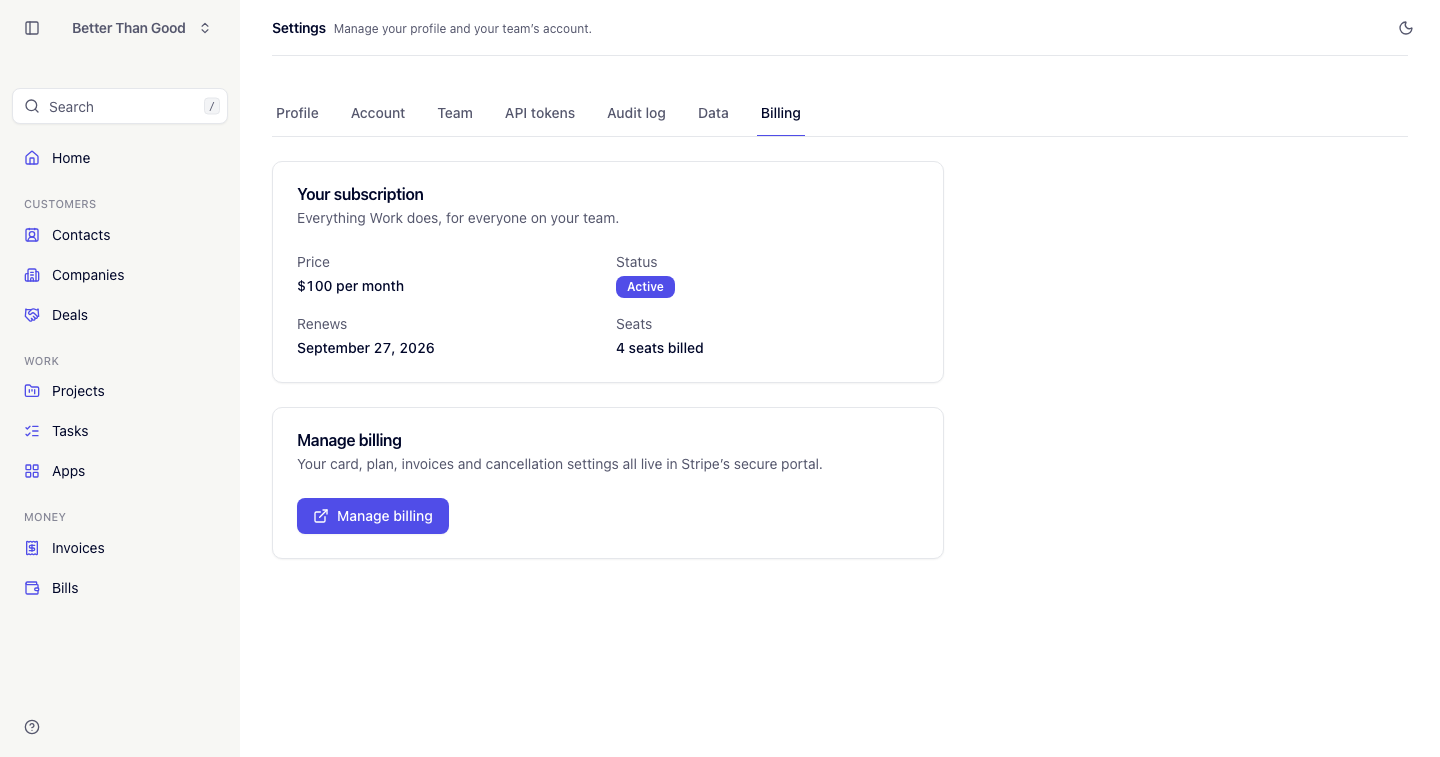
Settings → Billing, admin-only.
Upgrading
Upgrade to Pro opens Stripe Checkout to enter a card. The subscription becomes active on return. Signing up through Start on Pro on the pricing page goes to the same Checkout right after the account is created.
An account is only ever Pro once the payment has gone through, so leaving Checkout without paying costs nothing and keeps the account working on Free.
Manage billing opens Stripe’s customer portal, which handles card updates, invoices from us and cancellation. Card details are not visible to WORK.
The Billing screen
- Plan: Free, Pro or Complimentary
- Price: the monthly price, or what upgrading would cost
- Status: Active, Cancelling, Past due or Canceled
- Billing period: the current period’s renewal date (a Pro account only)
- People: the number of people against the free plan’s limit, or “Unlimited”
Accounts set to complimentary billing show that state instead of a charge.
The free plan’s people limit
A free account includes 3 people, counting members and pending invitations. Inviting past the limit prompts an upgrade instead; nobody is removed when an account drops from Pro back to Free, but no new invitations can be sent until the account is back within it.
When a subscription is cancelled
Cancelling keeps Pro until the end of the paid period — the Billing screen shows Cancelling with the end date. When the period ends, the account moves to the free plan: everything still works, within the free plan’s people and API limits. No data is deleted.
Subscribing again through Start again restores Pro.
Changing team size
Add or remove people in Settings → Members. On Pro the price never changes; on Free the limit is the only thing to watch. There is nothing to purchase in advance.
Failed payments
A failed charge sets the subscription to Past due. Update the card through Manage billing. Stripe retries on its own schedule, and Pro stays in place while it does; if the retries give up, the account moves to the free plan.
If Stripe is unreachable when a billing button is pressed, the screen reports it and no charge is made.