
Apps
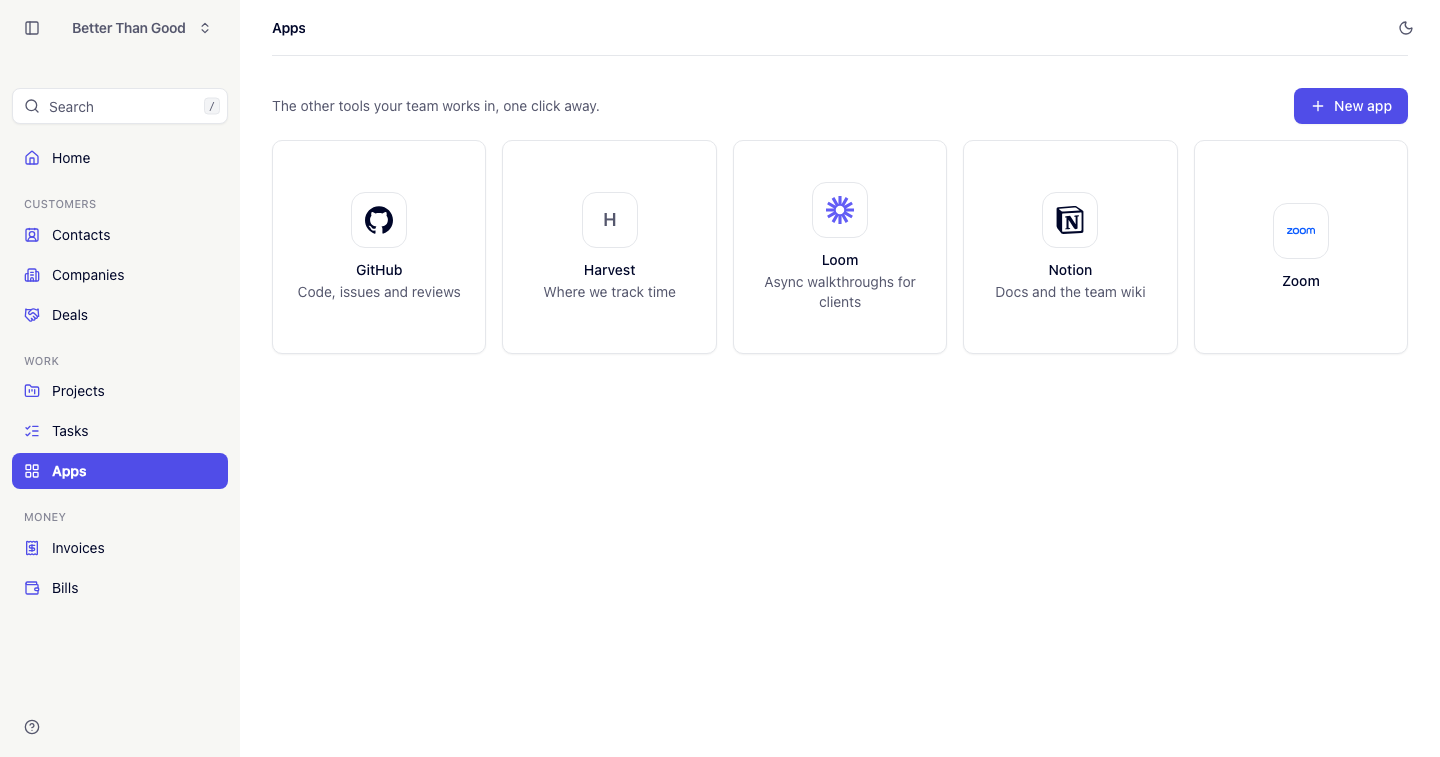
Apps are the other tools your team already works in — Harvest, Notion, GitHub — listed so they are one click from the work they belong to.
WORK stores the link and nothing else. An app is a signpost, not an integration: nothing is synced, and WORK never signs in for you.
Adding an app
Press New app. The form opens in a slide-over.
| Field | Notes |
|---|---|
| Name | Required |
| Link | Required. https:// is added if you leave it off, so harvestapp.com is enough |
| Description | A short line, for example “Where we track time”. Optional |
Links must be web addresses. Anything that isn’t http:// or https:// is refused.
The grid
Apps are shown as square tiles sorted by name. There is no filter, sort or status tab — a handful of tiles is the whole screen.
Each tile shows a logo, the name and the description. The whole tile is the link, and it opens in a new tab.
WORK ships marks for GitHub, Loom, Notion and Zoom, matched on the app’s domain and drawn in the brand’s own colour. Every other app wears its first letter as a monogram instead, including a tool reached through a self-hosted domain.
Editing and removing
Hover a tile for the edit action in its top-right corner. Remove is at the bottom of the edit slide-over, with a confirm — removing an app is a decision made while looking at it.
Who can see Apps
Admins and members have full access. Contractors do not see Apps at all (see Team & invitations).