
Account & profile
Settings has two parts: Profile, available to every user, and the account-level screens, which are admin-only.
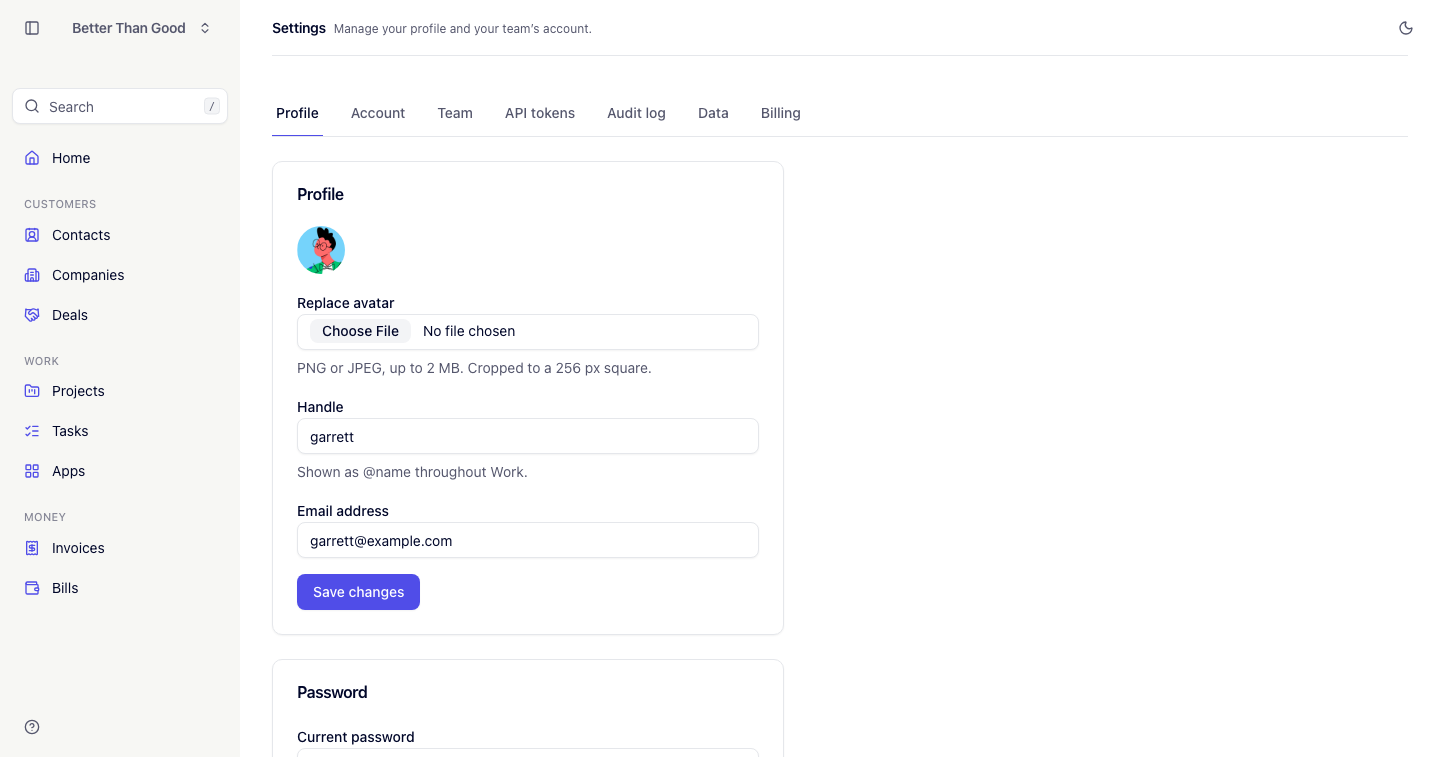
Profile
- Avatar: PNG or JPEG up to 2 MB, cropped to a 256 px square.
- Handle: up to 80 characters, shown as
@namein the app. - Email address: required. Changing it sends a verification email to the new address. An unverified address cannot send invitations.
- Password: requires the current password.
Changing your password ends your other sessions.
Light and dark mode
The mode toggle is in the header rather than in settings. The choice is stored per browser.
Account settings
Settings → Account, admin-only.
| Field | Appears in |
|---|---|
| Company name | Invoices and emails clients receive |
| Billing address | Invoices |
| Timezone | Displayed dates and times |
| Currency | All amounts: USD, EUR, GBP, CAD or AUD |
| Tax ID | Invoices, labeled “Tax ID”. Optional |
Logo has its own card with upload and remove. It appears at the top of every invoice.
Multiple accounts
One login can belong to several accounts. The active account is a property of the current session, so switching does not affect your other devices.
Switch accounts from the account menu.
Role access
| Screen | Admin | Member | Contractor |
|---|---|---|---|
| Profile | Yes | Yes | Yes |
| Members | Yes | View only | No |
| API tokens | All tokens in the account | Own tokens only | Own tokens only |
| Account, Audit log, Data, Billing | Yes | No | No |
| All tasks in the account | Yes | Yes | Own tasks only |
| Apps | Yes | Yes | No |